
-
Juno
A classroom participation tool and device co-created with middle schoolers to create psychological safety and boost participation by letting students submit anonymous questions from their own devices.
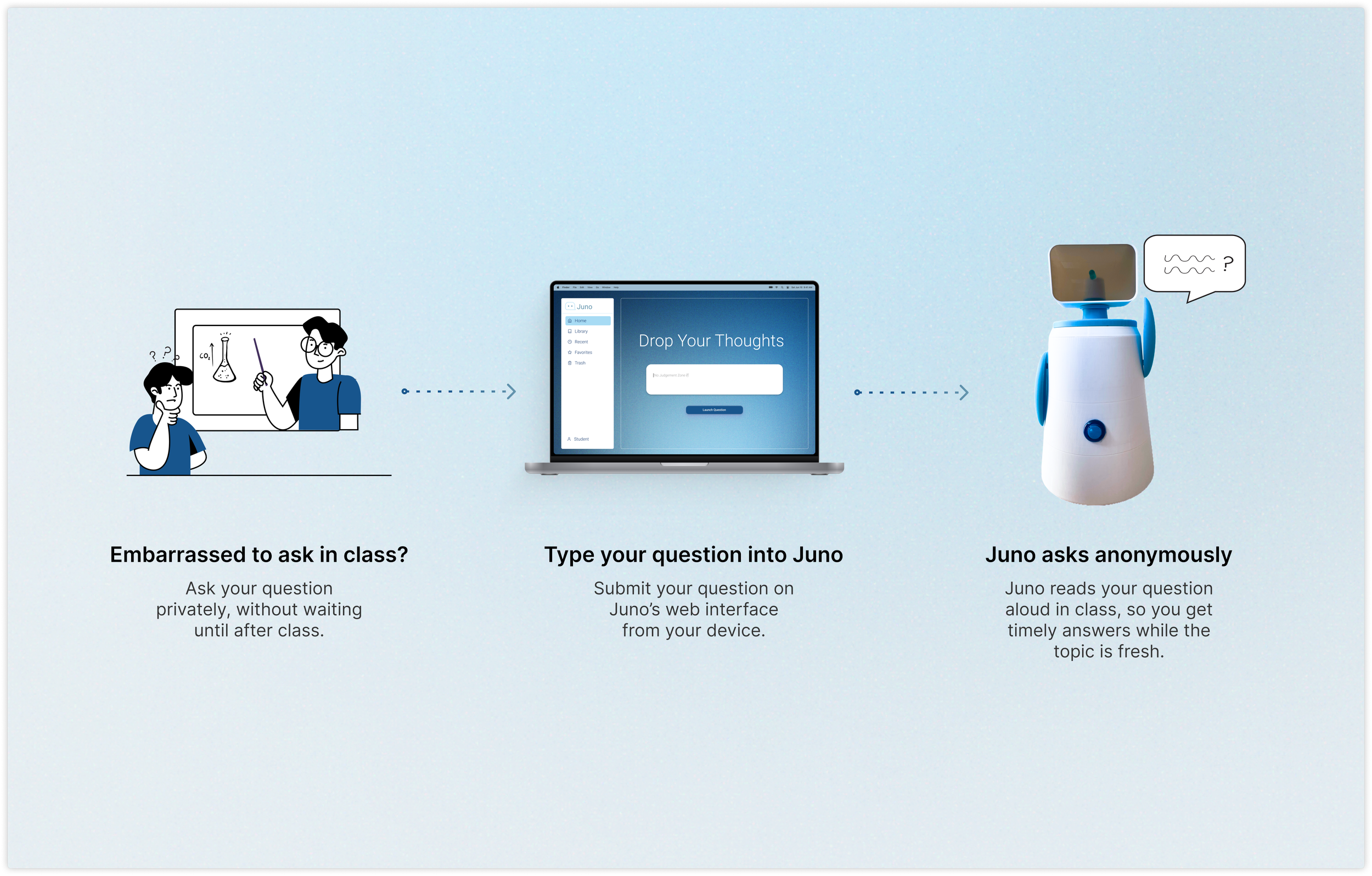
Juno reads those questions aloud in class on behalf of students, keeping identities private while keeping confusion and curiosity visible to the teacher.
My Role
Research Lead
UI Designer
Skills
User Research
User Testing
AI Prototyping
UI/UX Design
Team
1 Product Manager
1 Engineer
1 Product Designer
Timeline
2 months
Final OutcomeWhat Juno does in the classroom
Juno is a two-part system: a student web interface for submitting anonymous questions, and a tabletop device that plays those questions aloud to the class. Together, they create a lower-pressure way for middle schoolers to voice confusion and curiosity without having to raise a hand.
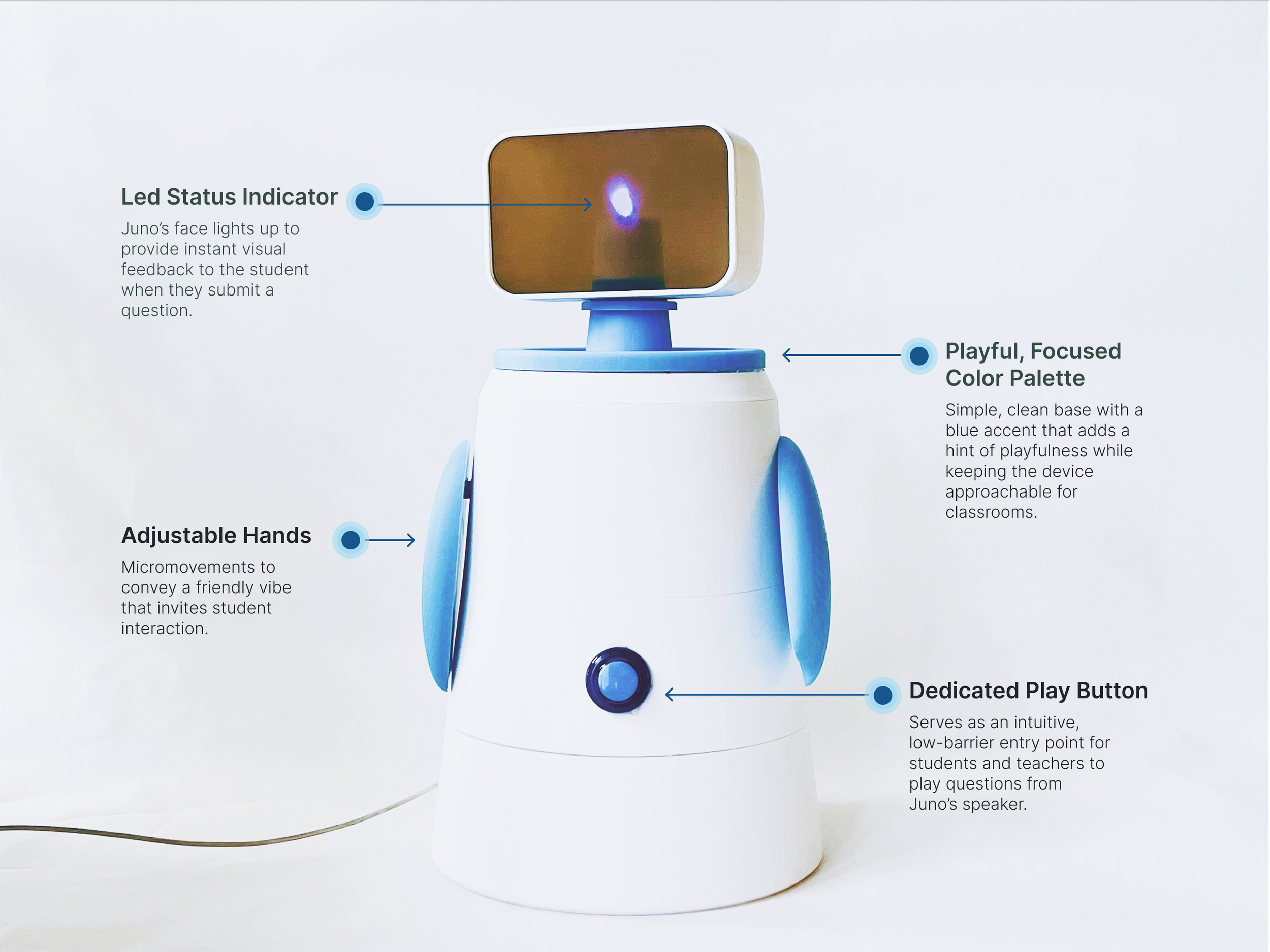
The physical device is sized and styled to blend in with existing classroom tech while still feeling approachable and playful for students. The annotated hardware visuals highlight decisions around form, light and audio feedback, and how the device signals that a student question is being heard.
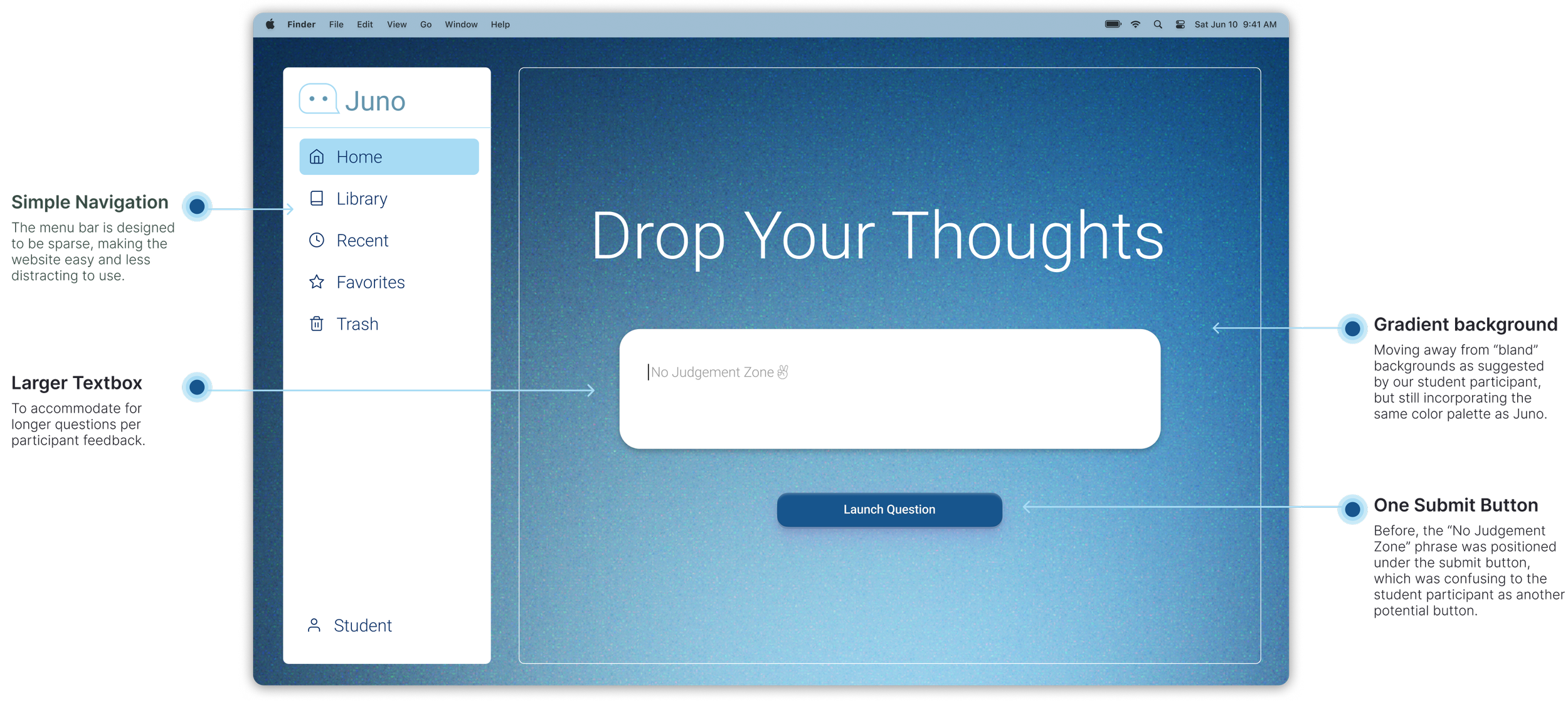
The student-facing web interface builds on these choices so the experience feels connected across screen and object. The UI annotations call out how layout, copy, and states support quick, anonymous submissions while keeping the focus on the live class discussion rather than managing a complex tool.
Remember sitting in class, stuck on something unclear, replaying your question in your head but staying silent because you didn’t want to sound like the only one who didn’t get it?
ProblemStudents stay silent even when they’re confused
By middle school, many students would rather stay confused than risk “asking a dumb question” in front of their peers, leading to quiet disengagement that teachers struggle to see in real time.
In remote learning, tools like private Zoom chat briefly gave students a safer backchannel to ask questions, but returning to in‑person classrooms has removed that protection while the social anxiety remains.
ObjectiveCreate a safer way to ask questions in class
How might we design a meaningful connection that encourages middle schoolers to participate in the moment, while helping teachers give timely support before disengagement grows?
Design PrinciplesDefining what “meaningful connection” looks like:
These principles shaped how Juno supports both students and teachers without adding to classroom burden or social pressure.
Communication & Understanding
Help students be heard even when language, accent, or confidence make it hard to speak up.
Building Trust
Foster trust between students and teachers so asking for help feels safe, not risky.
Care & Support
Make it easier for teachers to notice struggle early and respond with care.

IdeationDesigning a hybrid physical–digital classroom experience
Drawing on prior research from an ideation course and a review of precedent work, our team was challenged to design a custom experience that blended physical and digital components mediated by interactive electronics. Our team generated 20+ concepts.

To quickly align the team and make a decision on which direction to go, I first mapped our assumptions, risks, and opportunities in 2x2 matrices, then ran dot voting to prioritize ideas by relevance, feasibility, and student impact. This led us to an anonymous question-asking system that still preserves the instructor’s role.
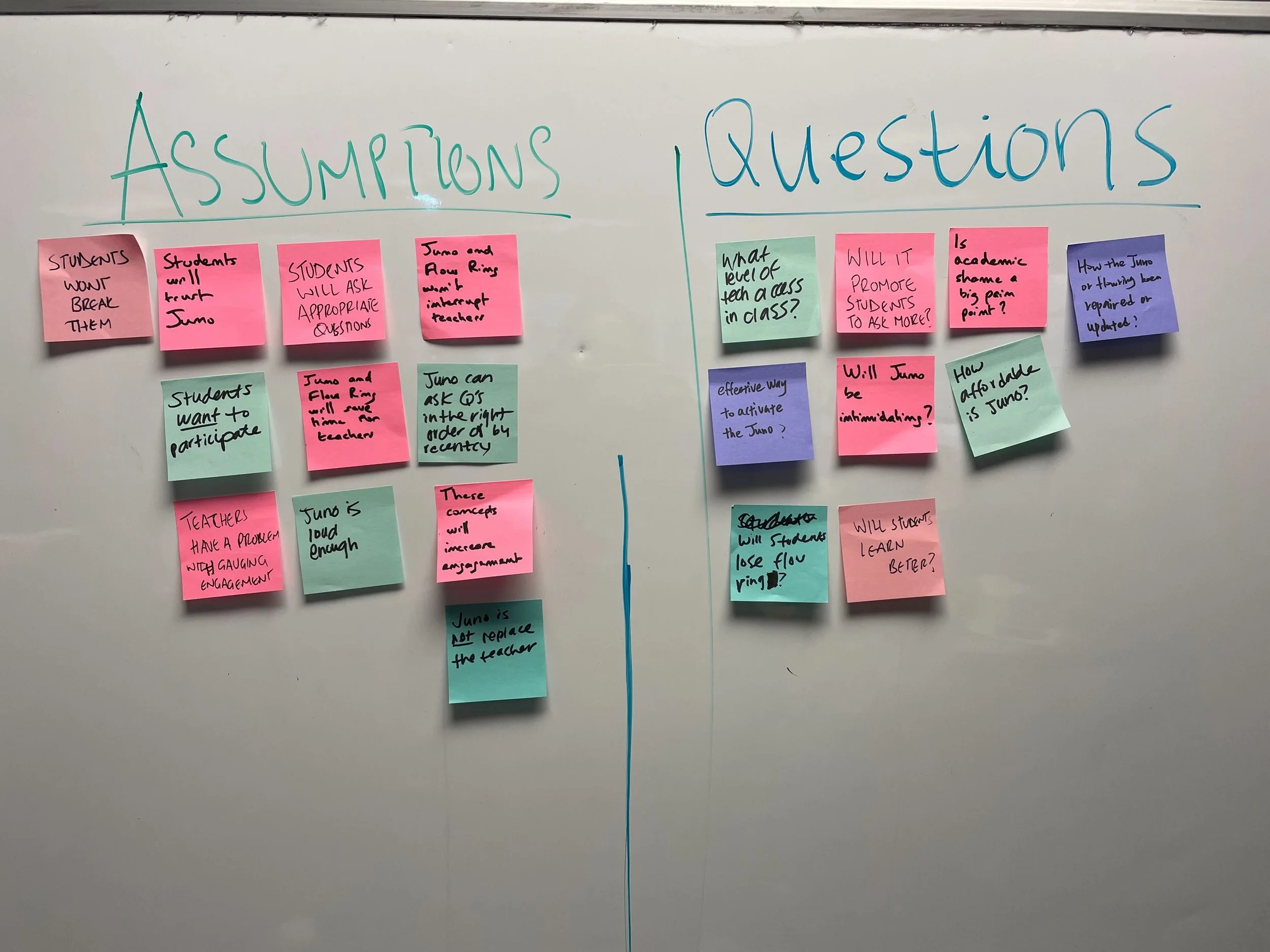
We mapped questions and assumptions into opportunities, concepts, and features.
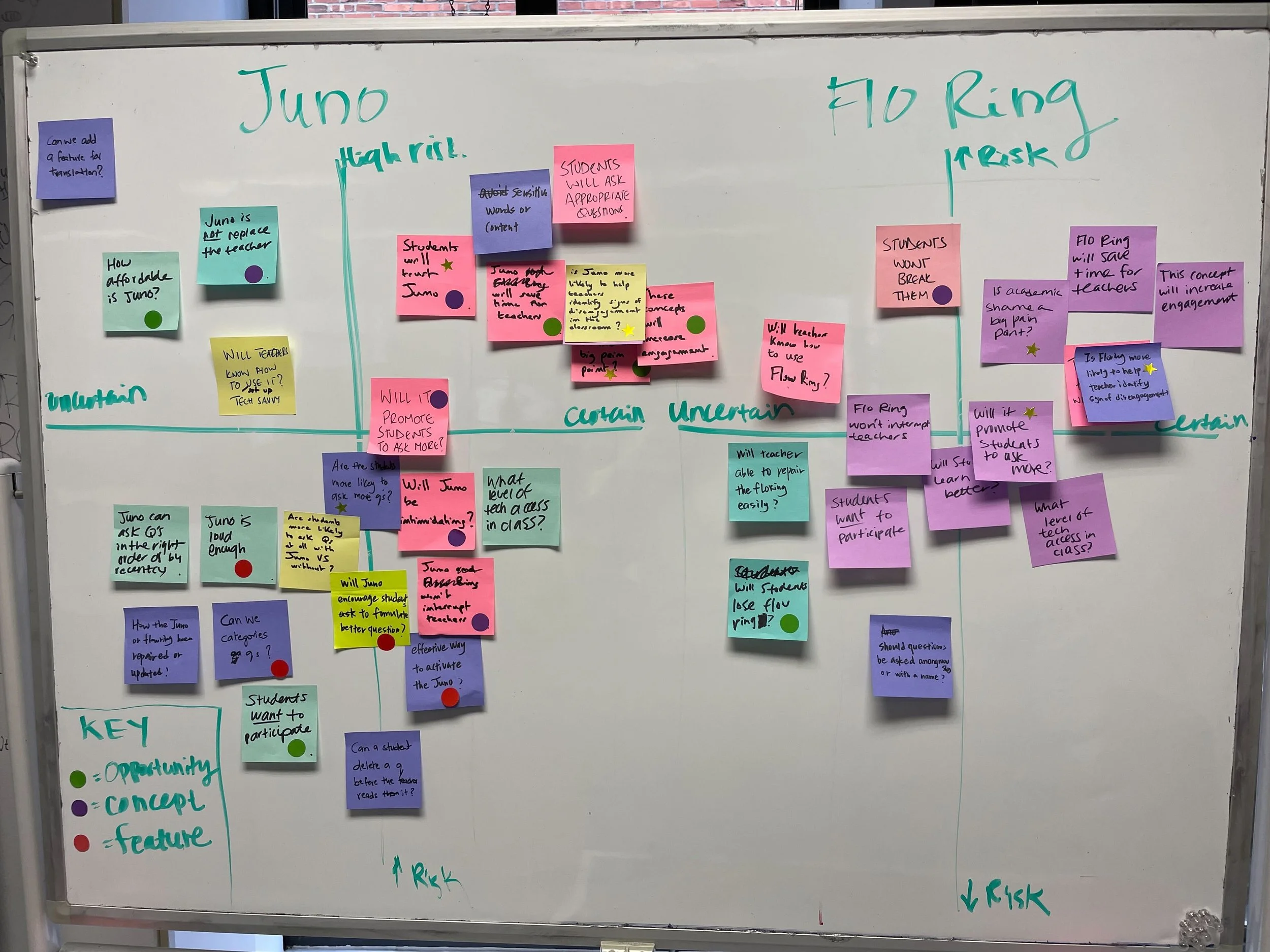
Listing out the knowns and unknowns of our last two ideas.
PrototypingTesting and refining Juno with students and teachers
To understand whether Juno reduced academic shame and supported real classroom dynamics, we ran two rounds of research with middle school students and a teacher.
To align on how Juno’s device and web interface work together during testing, we mapped its system and data flow. This diagram informed what we probed in our Wizard-of-Oz study and later usability tests.
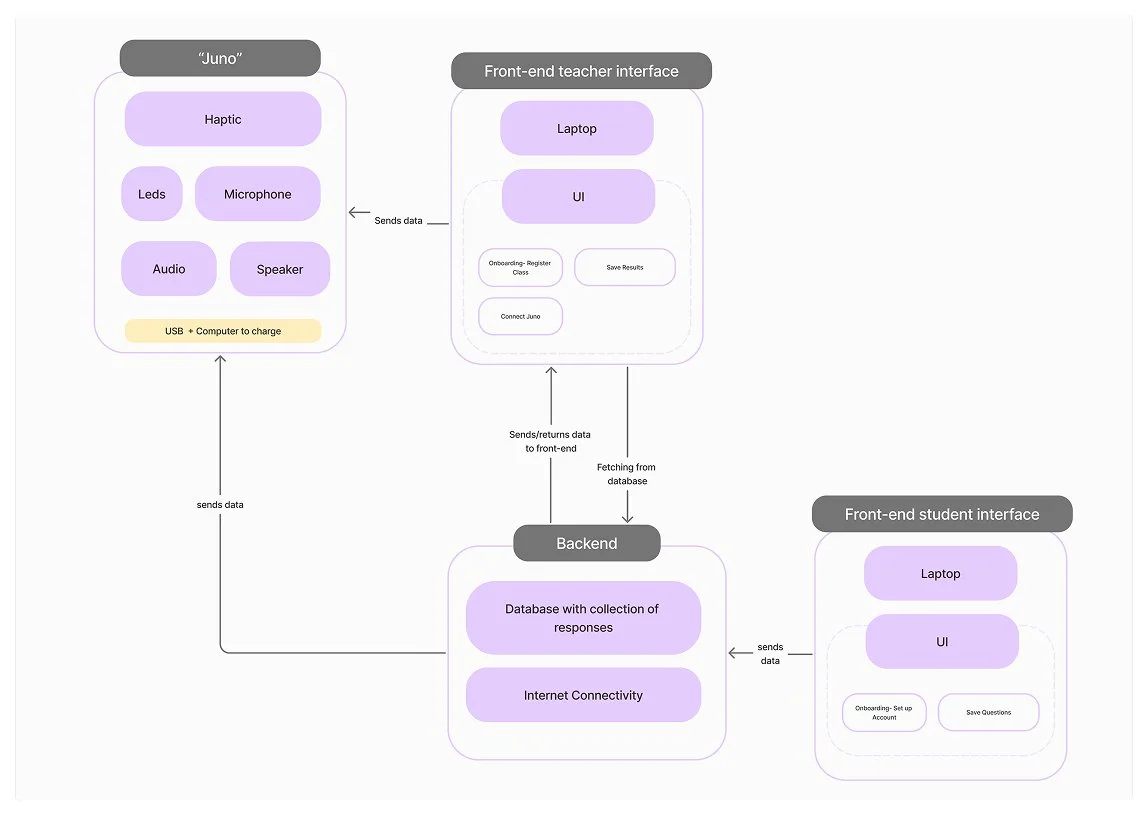
Diagram presenting the set of modules that will need to be implemented to provide the intended experience.
Round 1Wizard-of-Oz: does the concept resonate?
I designed and moderated role-play sessions with Juno to test:
Clarity and value of an idea-Would our users understand our concept? Is it worthwhile in their eyes?
Discoverability and learnability of the experience (e.g. do people know what to do?)
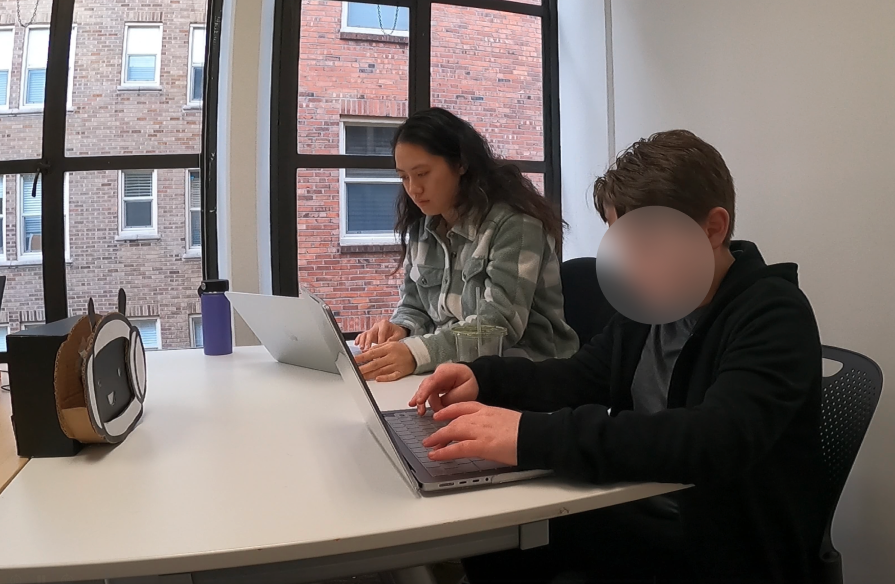
The participant was asked to submit a question via our fake interface. We then play his question manually through a speaker hidden in our Juno representation.
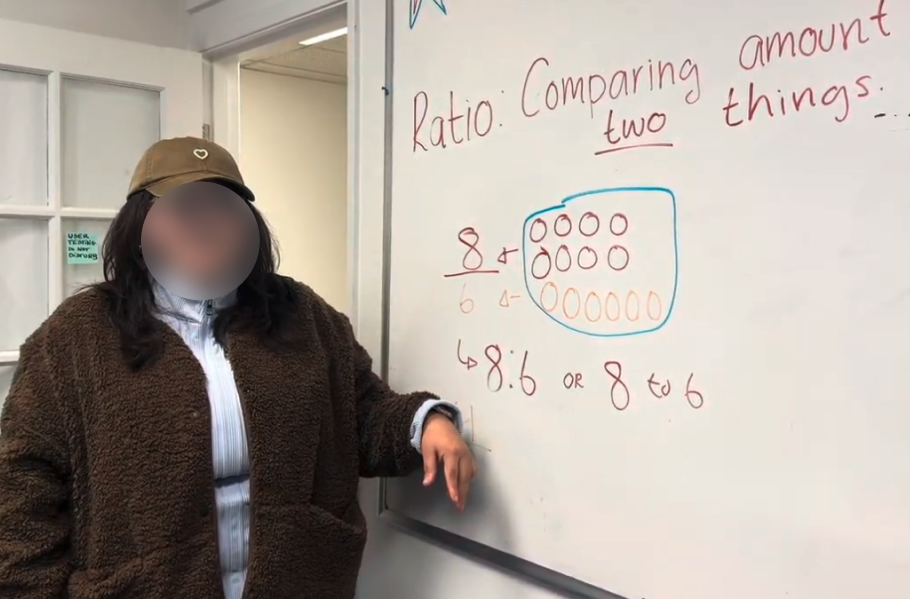
The teacher participant was asked to role play teaching a class and then activate Juno to playback student questions aloud in several different ways.
What we learnedAnonymous playback made students feel more comfortable asking questions, confirming anonymity as Juno’s core value.
Teachers wanted students to help activate Juno.
We heard that the form felt too childish, so I ran a short survey with 24 middle schoolers on form and color preferences to guide the next iteration.
These insights set the focus for our next test: moving from a Wizard-of-Oz setup to a functional system with a more age-appropriate form, a working student submission flow, and clearer interactions for both students and teachers.
Round 2Usability Testing: can students and teachers actually use it?
To move from concept to a functional question-submission flow prototype under a tight timeline, I used AI tools to generate and refine the HTML for Juno’s web interface.
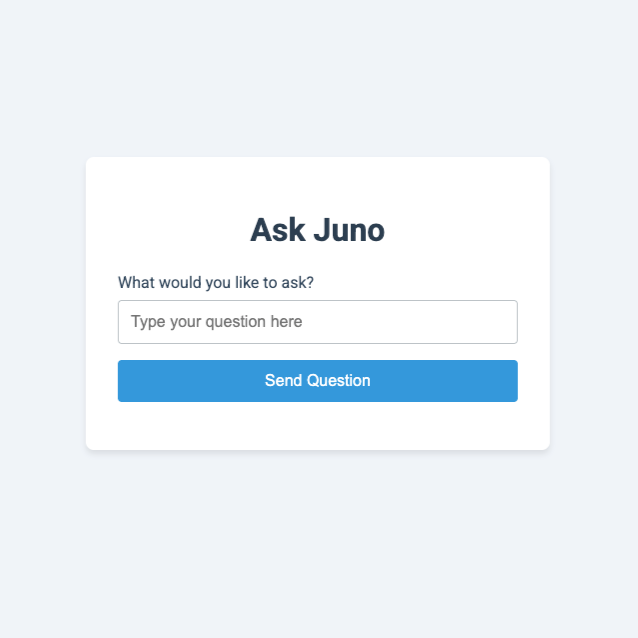
Draft 1 of Web Submission Form.
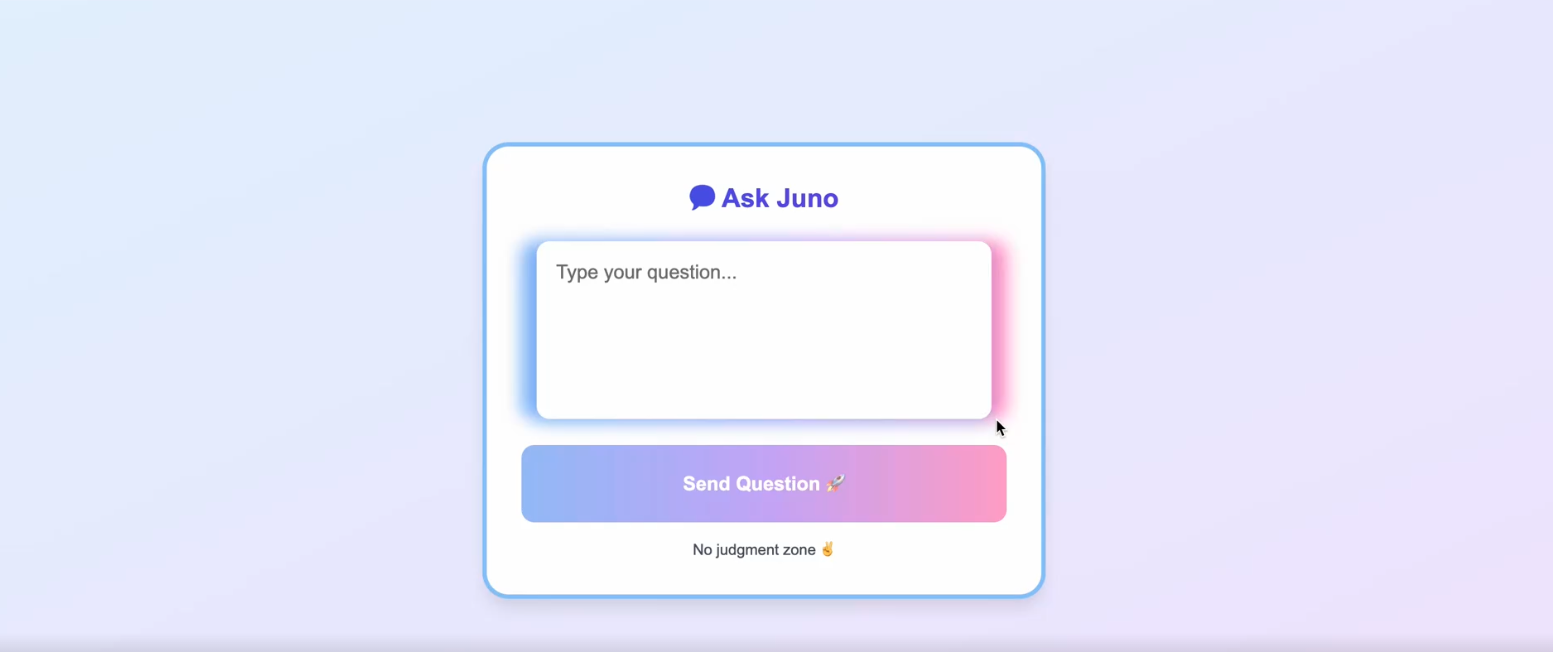
Draft 2 of Web Submission Form.
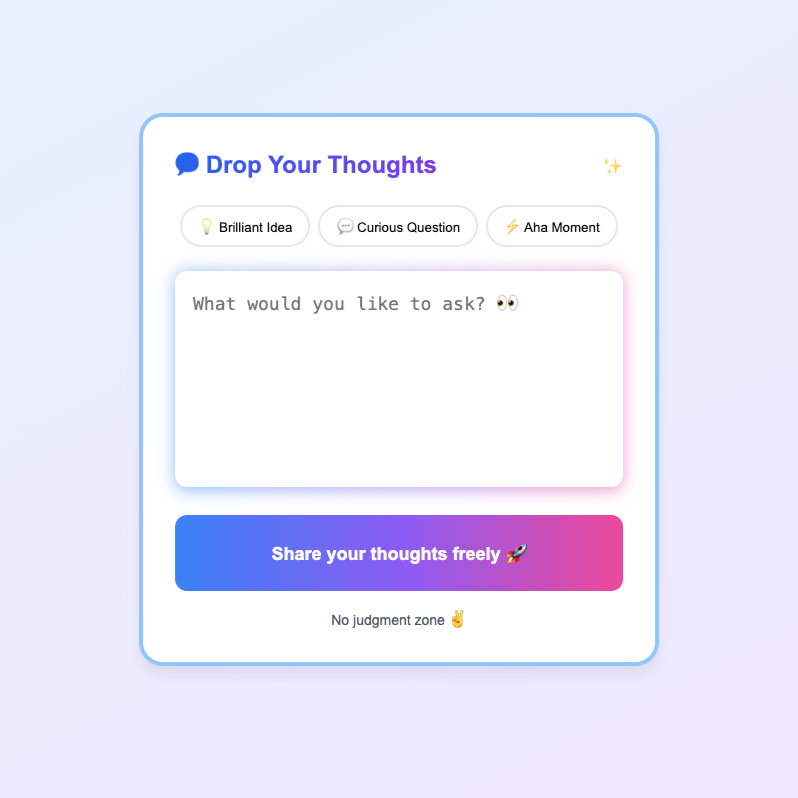
Draft 3 of Web Submission Form tested with the participant.
I moderated the last prototyping session with our end-user, another middle schooler. This interview was split into three parts:
A usability test: Successfully submit a question on our functioning web submission form.
Feedback on Juno’s current low-fidelity form to help guide the team toward our high-fidelity form.
Follow-up questions on how to improve Juno output interaction.
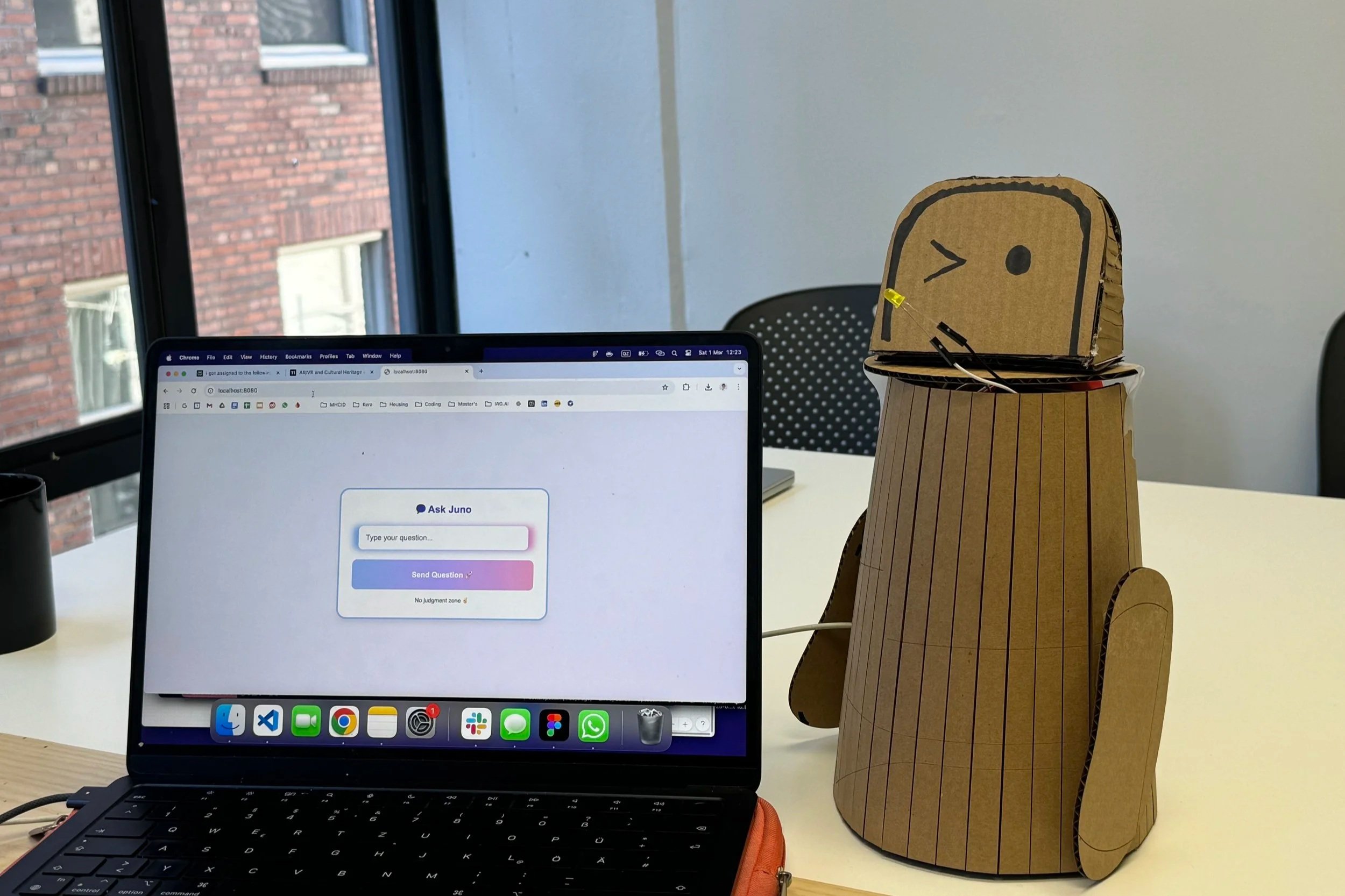
Juno's low-fi prototype for Research Sprint 2.
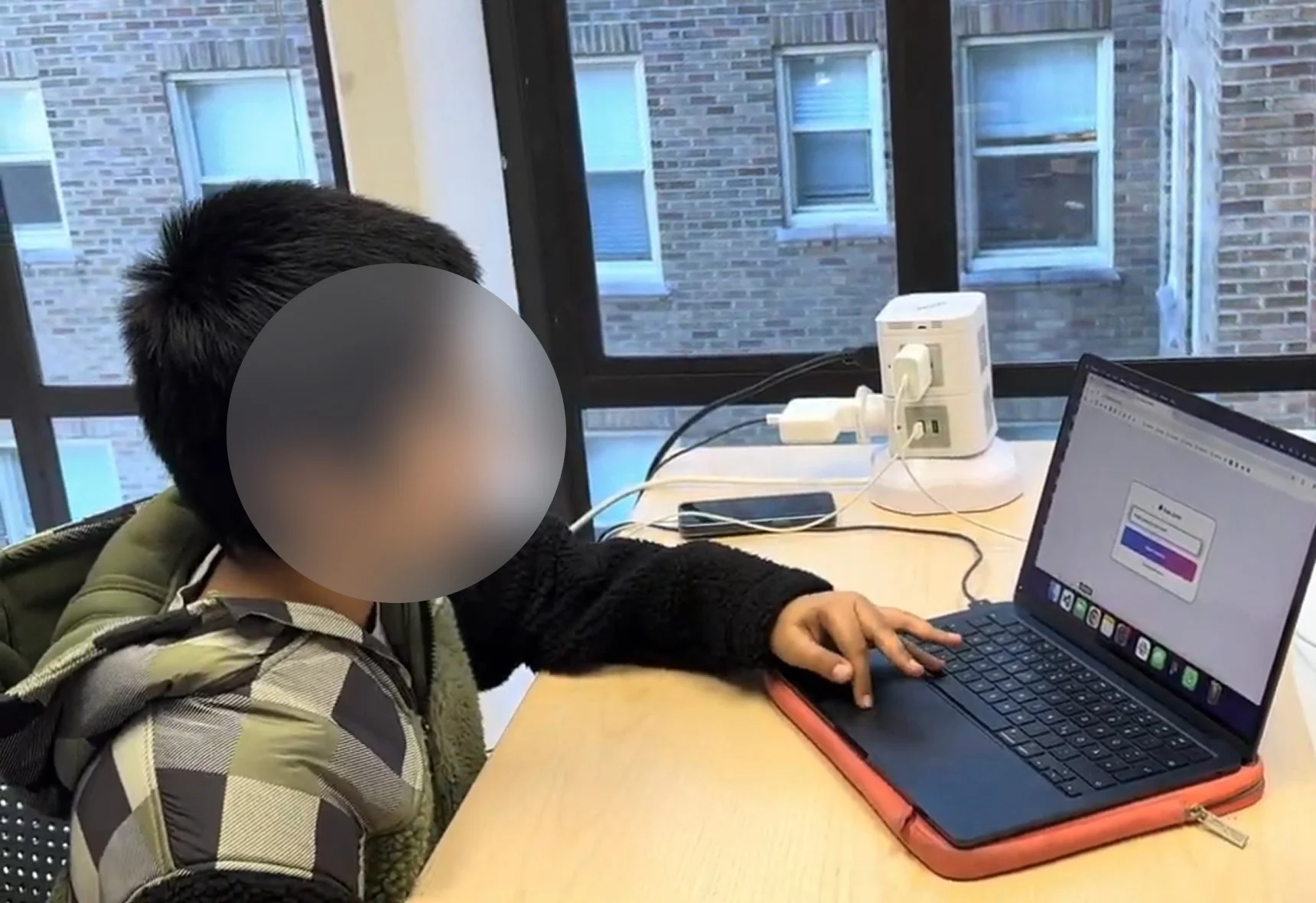
Student participant testing question submission via Juno's web form.
What we learned01
Web UI felt constrained and uninviting
Students wanted a larger textbox to comfortably write longer questions and felt the plain background didn’t make the space feel welcoming to share.
02
Confusing labels and affordances
Some phrases and labels on the interface were interpreted as buttons or actions, making it harder for students to quickly understand what to tap and what the space was for.
03
Physical interaction cues were too subtle
The small, hard-to-find activation button and low-visibility LED feedback made it unclear when Juno was active or a question was submitted.
04
Questionaire told us that the Visual style needed to feel more “cool”
Students preferred a simple, clean look with specific colors (black, blue, white, pink), which help shift Juno’s appearance from childish to more age-appropriate
Juno’s final design centers anonymous submission, shared activation between teachers and students, a cleaner, more mature visual style, and clearer interaction cues that make classroom use feel straightforward instead of awkward.
RecognitionHCI International 2025: Student Design Competition
Juno received 3rd place, highlighting its potential as a classroom tool for anonymous student participation.
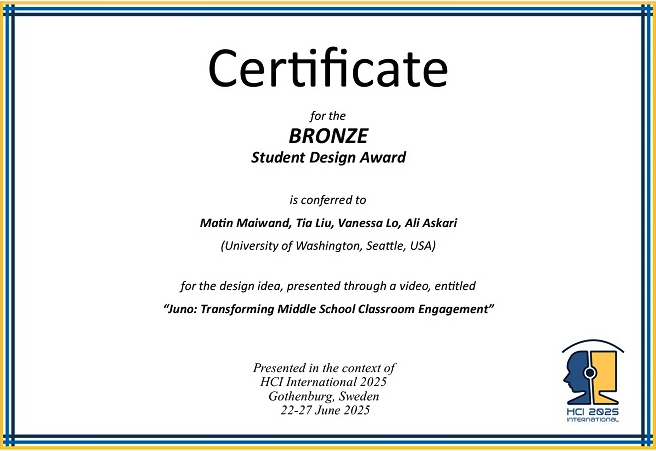
Certificate for the BRONZE student design award presented in the context of HCI International 2025, Gothenburg, Sweden, 22 - 27 June 2025
ReflectionRethinking anonymity assumptions
A common question we got with our prototype was how an anonymous submission system could be misused.
We had assumed middle schoolers would want full anonymity, but they were comfortable with teachers knowing who asked what if it meant getting help.
This experience reshaped my thinking about safety features: Juno now keeps students anonymous to peers for psychological safety, while remaining identifiable to teachers to discourage misuse.
Planning lightweight mixed methods
Limited classroom access meant our early feedback came from a small number of student and teacher conversations.
To quickly broaden perspectives, we put together a short, informal aesthetics survey to capture more student opinions on Juno’s look and feel.
Even though it was a light touchpoint rather than a rigorous study, it reminded me how simple mixed methods can still unblock decisions when access is constrained.
Next StepsExpand student question flows
Today, Juno only plays one question at a time.
In the future, I want to support queues, multi-part questions, and help students refine what they ask.
To make this happen, I would map key student flows, define the information architecture, and wireframe the student web UI.
Give teachers more flexible control
Juno is currently activated only via its physical button, a constraint driven by time and technical feasibility in this phase.
In the future, I would like teachers to control Juno from a smartwatch or similar device, so they can trigger it from anywhere in the classroom.
To make this happen, I would explore notification flows and smartwatch UI mockups that give teachers simple, glanceable controls.